
Improved stability and compatibility for Leopard users
Mac OS X 10.5.6 introduced important refinements focused on enhancing the stability, compatibility, and security of the Leopard operating system. This free update from Apple improved the reliability of features such as Time Machine backups, iCal syncing, and Mail performance. It also resolved networking issues that previously caused Wi-Fi dropouts and refined graphics handling for smoother visuals. The update extended overall system reliability, helping users maintain a consistent and secure computing experience.
Top Recommended Alternative
Refinements that enhance system performance
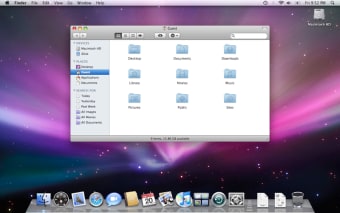
This version delivered several behind-the-scenes improvements rather than dramatic interface changes. Finder operations became more dependable, especially when managing shared network files. AirPort connectivity benefited from stronger performance across roaming networks, and Time Machine saw improved backup verification. While the update did not overhaul the interface, smoother window animations and better responsiveness contributed to a refined user experience. These changes emphasized stability and dependability over visual redesigns.
Compatibility and key considerations
Mac OS X 10.5.6 supported both Intel and PowerPC systems, maintaining broad compatibility with software designed for Leopard. It required moderate system resources and recommended at least one gigabyte of memory for optimal performance. Users noted longer installation times on some systems, but the process generally completed successfully when adequate space and backups were prepared in advance. The update also addressed potential security vulnerabilities, reinforcing Apple’s focus on long-term system integrity.
Final thoughts
Mac OS X 10.5.6 represented a solid and dependable refinement of Leopard, offering improved reliability in key areas such as networking, data syncing, and system stability. While the update did not introduce new visual features, its performance and security enhancements made it a valuable installation for users seeking a smoother, more consistent experience across their Macs.